Registering the Typemock Isolator License
The TypeMockRegister task registers the Typemock Isolator license and enables Automatic-Deployment.
To register the Typemock Isolator license:
•Add the TypeMockRegister task to your custom template with the following parameters:
|
Parameter |
Description |
Type |
Mandatory/Optional |
|
Specifies the path to run Typemock Isolator from, without installing it on the server. |
string |
Optional |
|
|
Company |
The company name as defined in your license |
String |
Mandatory |
|
License |
The activation key as defined in your license. |
String |
Mandatory |
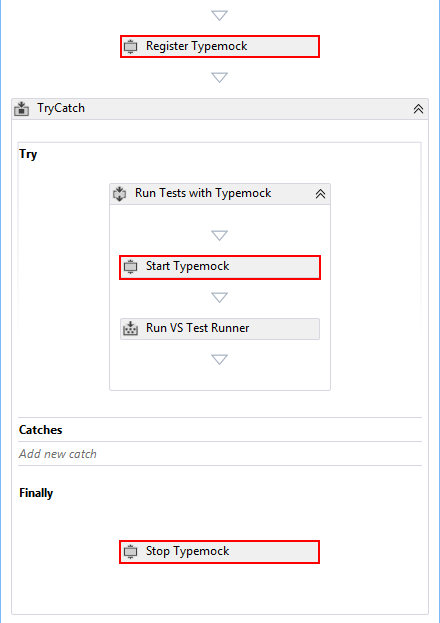
The following example shows how to register Typemock Isolator:
Click on TypemockRegister task in your workflow's (template) designer, to reveal the properties:
The following TypemockRegister's properties are available in the properties view:
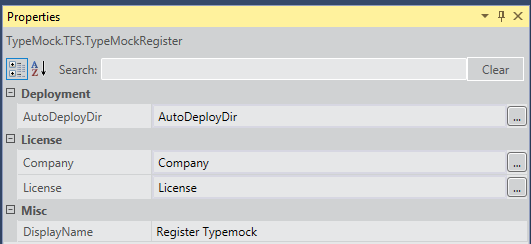
 Register task properties should be entered in the "Edit Build Definition..." view → "Process" tab → "Build process parameters: Typemock" (unless it's a custom build template)